Your camera captures the moment, but your website sells it. If a potential client visits your site and leaves after ten seconds, you didn't lose them to a competitor; you lost them to bad user experience. In the digital age, your photography portfolio is not just a gallery-it is your primary sales tool, your brand statement, and your first impression all rolled into one. Many talented photographers struggle because they treat their website like a static photo album rather than a dynamic business asset. The difference between a hobbyist and a professional often lies in how effectively they present their work online. This guide breaks down exactly how to structure, optimize, and market your site so that visitors don't just scroll-they book.
The Core Elements of a High-Converting Photography Site
Before you touch a single pixel of design, you need to understand what actually drives conversions. A beautiful site that confuses the visitor is useless. Your website needs to answer three questions immediately: Who are you? What do you shoot? How do I hire you? These elements form the backbone of any successful web presence for creative professionals.
- Clear Navigation: Keep your menu simple. Home, Portfolio, About, Contact. Anything more creates cognitive load. If a user has to hunt for your pricing or booking form, they will likely leave.
- High-Quality Visuals: This is obvious, but the technical execution matters. Your images must be sharp, color-accurate, and optimized for web viewing without losing detail.
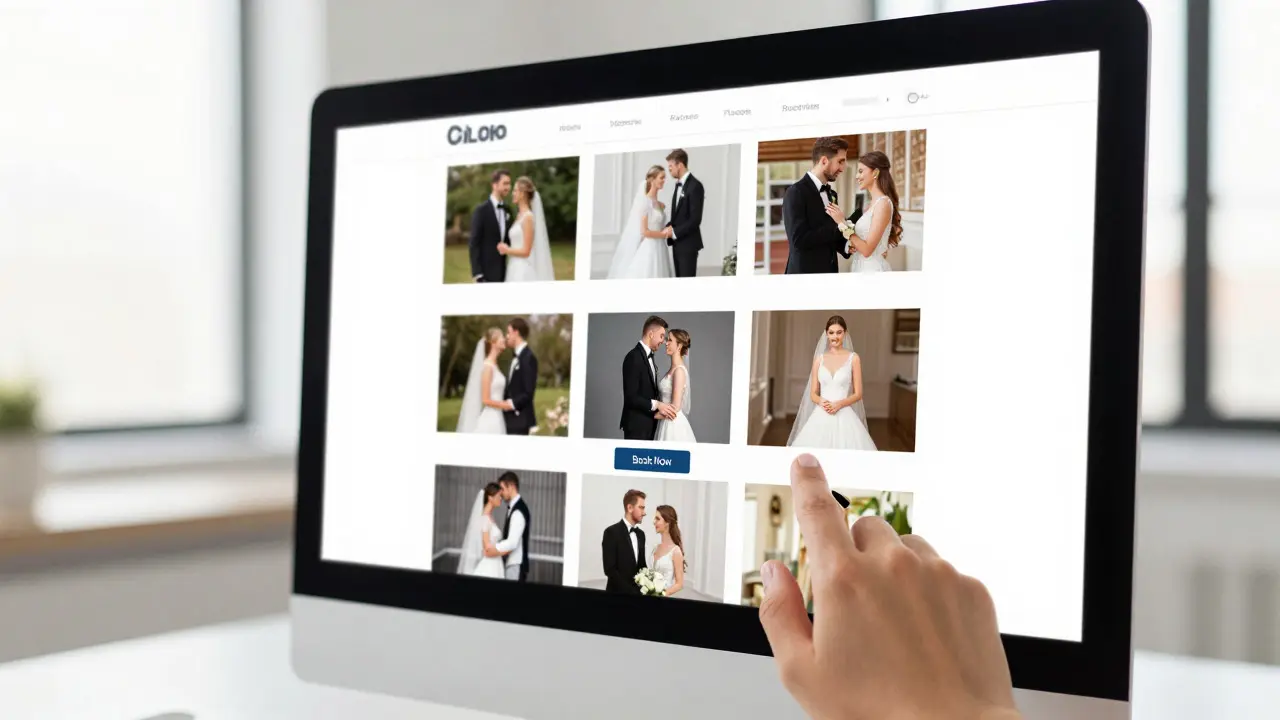
- Strong Call-to-Action (CTA): Every page should guide the visitor toward the next step. "View More," "Book a Consultation," or "Check Availability." Don't make them guess what to do next.
- Credibility Signals: Testimonials, press mentions, and awards build trust. For new photographers, strong case studies or detailed project descriptions can fill this gap.
Think of your homepage as a storefront window. It doesn't need to show everything inside, but it needs to look inviting enough to pull people through the door. The user interface of your site should feel intuitive, allowing users to navigate your work without friction.
Optimizing Images for Speed and Quality
Here is where most photographers get tripped up. You spend hours editing a photo to get the perfect contrast and saturation, then upload a 15-megapixel file directly to your site. That file takes forever to load on mobile devices, which now account for over 60% of web traffic. Slow loading times kill engagement rates faster than anything else.
You need to balance visual fidelity with file size. Modern browsers support formats like WebP, which offer significantly better compression ratios than traditional JPEGs without visible quality loss. If you use a platform like WordPress or Squarespace, ensure your plugin or theme automatically optimizes images upon upload. However, manual control is often better. Aim for a maximum width of 2500 pixels for full-screen displays and compress files to under 500KB for standard gallery views. This ensures your site loads in under two seconds, a critical benchmark for retaining user attention.

Choosing the Right Platform for Your Business
You have options, and the right choice depends on your technical comfort level and budget. Do you want full control over code and design, or do you prefer a managed service that handles hosting and updates? Each path has trade-offs that affect your long-term growth and maintenance effort.
If you are comfortable with some technical learning, platforms like WordPress combined with photography-specific themes offer immense flexibility. You can customize every aspect of the user journey, integrate advanced SEO tools, and scale as your business grows. On the other hand, dedicated portfolio builders like Squarespace or Format provide polished, drag-and-drop interfaces that require zero coding knowledge. They are excellent for getting started quickly but may limit your ability to implement custom features later.
Consider your future needs. If you plan to sell prints directly from your site, you need robust e-commerce capabilities. If you primarily want to drive clients to email you, a simple contact form suffices. Match the platform's strengths to your specific business model rather than choosing based solely on initial aesthetics.
Structuring Your Portfolio for Maximum Impact
How you organize your photos tells a story about your professionalism. A cluttered gallery with 500 random images signals a lack of curation. Instead, curate ruthlessly. Your portfolio should showcase your best 20-30 images, not your entire archive. Group these by category if you specialize in multiple niches, such as wedding, portrait, and commercial work. This allows clients to find relevant examples quickly.
Within each category, order your images strategically. Start with your strongest piece-the one that makes people stop scrolling. Follow it with a mix of emotional connection shots and technical showcases. End with a clear call-to-action. Avoid chronological ordering unless you are specifically highlighting growth over time, which is rarely the goal for attracting current clients. Curation is key; every image on your site should earn its place by demonstrating value to a potential buyer.

Driving Traffic Through SEO and Social Media
A great website is invisible if no one finds it. Search Engine Optimization (SEO) is not just about keywords; it is about making your content discoverable. Use descriptive alt text for every image, including location and subject matter. For example, instead of "IMG_4092.jpg," use "Bride and Groom First Dance Sunset Portland Oregon." This helps search engines understand your content and rank you for local searches.
Social media acts as a funnel to your website. Instagram and Pinterest are visual platforms that drive significant traffic to photographer portfolios. Link your website clearly in your bio and use consistent branding across all channels. When you post a highlight reel on social media, direct followers to your site for the full story and booking information. This synergy between social proof and web presence builds authority and trust simultaneously.
Common Mistakes That Kill Conversions
Even experienced photographers fall into traps that undermine their online effectiveness. One major error is neglecting mobile responsiveness. With the majority of users browsing on phones, a site that looks broken or slow on mobile loses half its potential audience instantly. Always test your site on various devices before launching.
Another frequent mistake is burying the contact information. Make sure your phone number, email address, and booking link are visible on every page, ideally in the header or footer. If a client likes what they see, they shouldn't have to dig around to reach you. Finally, avoid outdated fonts and clunky animations that distract from the photos. The work should speak for itself, supported by clean, unobtrusive design elements that enhance rather than compete with the imagery.
How many photos should be in my online portfolio?
Quality over quantity is the golden rule. Most experts recommend keeping your main portfolio to between 20 and 30 images. This number is large enough to show range and consistency but small enough to keep the viewer engaged. You can always add more images to specific project pages or blog posts, but your core gallery should remain curated and impactful.
Do I need a separate website from my Instagram profile?
Yes, absolutely. Instagram is a discovery platform, not a business hub. It lacks essential features like detailed service descriptions, client testimonials, and easy booking systems. Your website serves as your professional home base where you control the narrative, optimize for search engines, and convert viewers into paying clients. Use Instagram to drive traffic to your site, not the other way around.
What is the best file format for web photography?
WebP is currently the superior format for web photography due to its high compression efficiency and good quality retention. However, JPEG remains widely compatible and is still acceptable if properly compressed. Avoid using PNG for photographs as it results in much larger file sizes without significant benefit for photographic content. Always resize images to the maximum display width needed before uploading.
How often should I update my photography website?
You should refresh your portfolio every six to twelve months to remove older, weaker work and add your latest best pieces. Regularly updating your blog or news section with recent projects also keeps your site fresh in the eyes of search engines. Stale content can signal to potential clients that you are no longer active or evolving in your craft.
Is it worth hiring a web designer for my photography site?
If you have limited time or technical skills, hiring a specialist who understands both web design and photography marketing can be a worthwhile investment. They can ensure your site is optimized for speed, mobile use, and conversion. However, if you are tech-savvy and enjoy customization, DIY platforms can save money and give you greater control over your brand's digital expression.