You just shot a high school football game. Your camera card is full of 1,200 frames. The coach wants the best action shots by tomorrow morning. If you stare at that screen in despair, you’re not alone. Most photographers lose hours to indecision, trying to find the "perfect" frame among thousands of near-duplicates. The secret to surviving this crunch isn't better eyes; it's a tighter sports photo workflow. You need a system that separates the keepers from the trash in minutes, not days.
Why Speed Beats Perfection in Sports
In portrait or landscape work, you have time. In sports, news cycles are measured in hours. A great photo delivered three days late is worthless. Clients-whether they are newspapers, teams, or parents-pay for immediacy. This doesn't mean quality drops. It means your selection process must be ruthless. You aren't looking for art yet; you're looking for clarity, focus, and impact. If a player’s face is blurred or the ball is cut off, delete it. Don't zoom in to check every pixel. Trust your initial instinct. If you hesitate for more than two seconds on an image, it’s probably not a keeper. That hesitation is usually your brain telling you there’s a flaw you don’t want to admit.
The Two-Pass Culling Method
Trying to do everything at once causes fatigue. Split your review into two distinct passes. This keeps your energy up and your decisions sharp.
Pass One: The Technical Purge
Load your files into Lightroom Classic or Capture One. Set your view to fill-screen mode. Press 'P' to pick or 'X' to reject. Do not look for emotion here. Look for technical failures:
- Missed Focus: If the eye or helmet is soft, reject it. No amount of sharpening fixes a missed focus in a fast-moving subject.
- Bad Timing: Eyes closed, awkward mid-stride poses, or balls hidden behind bodies go out.
- Duplicate Overload: If you have ten shots of the same tackle, keep the one where the faces are clearest. Delete the rest immediately.
This pass should take no more than 15-20 minutes per card. Be aggressive. Aim to reduce your 1,200 frames down to about 150-200 candidates. Yes, that feels scary. But remember, quantity kills value. Ten perfect images beat fifty mediocre ones.
Pass Two: The Editorial Selection
Now switch to grid view (G) with smaller thumbnails. Here, you look for storytelling. You need variety:
- The Big Moment: Goals, touchdowns, finishes.
- The Reaction: Celebrations, defeats, coaches yelling.
- The Atmosphere: Crowd shots, wide angles of the field, details like muddy cleats.
Select your final 20-30 images. These are the ones that will make the client happy. If you’re shooting for a newspaper, they might only want five. For social media, they might want fifteen. Adjust your count based on the contract, but never deliver more than necessary. Extra images dilute the impact of the winners.
Captioning Without Losing Your Mind
Once you’ve picked your winners, you need metadata. An uncaptioned photo is often useless in archives. However, typing long descriptions for each file is slow. Use templates.
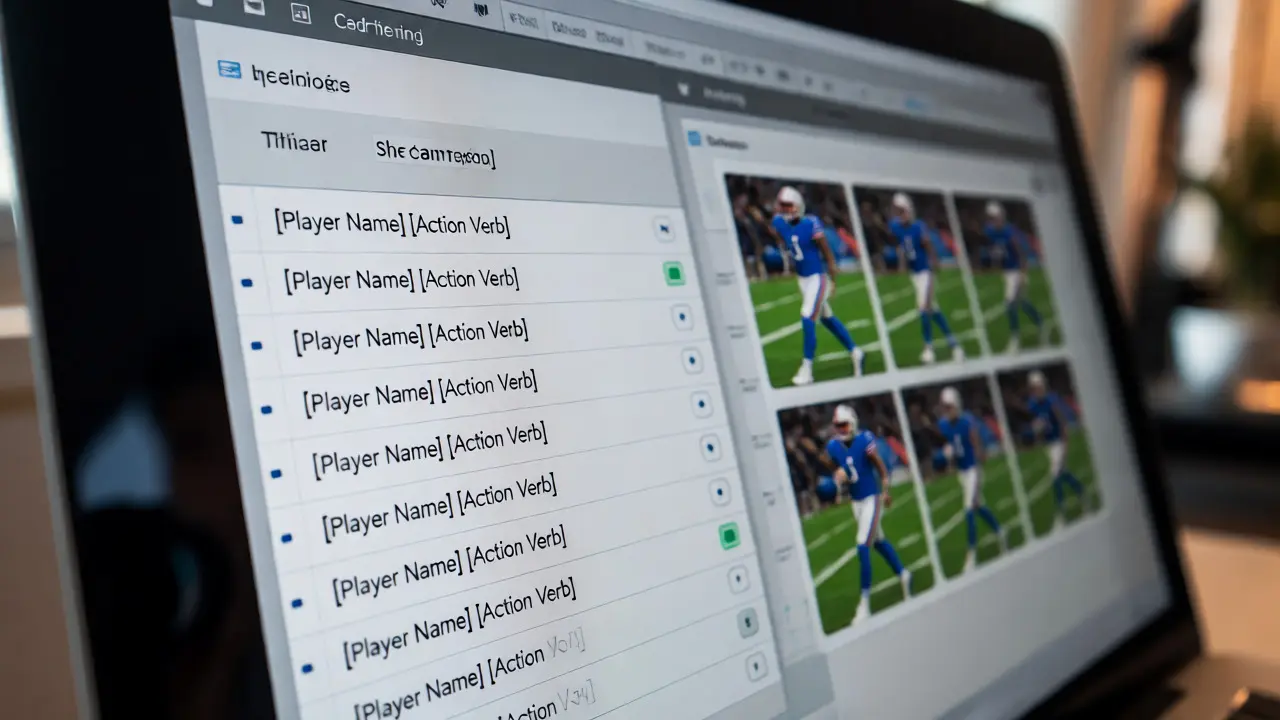
Create a standard format for your captions. For example: [Player Name] [Action Verb] during the [Event Name] against [Opponent] at [Venue] on [Date].
Most professional software allows you to batch-edit metadata. Select all your chosen images and apply the common data first: Event Name, Venue, Date, Copyright Info. Then, go through individually to add specific player names and actions. If you don't know a player's name, use their jersey number. "#42 jumps for header" is searchable later. You can fix it when you get the official roster.
Pro Tip: Use voice-to-text if you’re working on a laptop. Dictating "Player 12 makes save" is faster than typing it. Just proofread before exporting.
Editing for Consistency, Not Artistry
Sports editing is about uniformity. You want the set to look cohesive. Don't spend ten minutes tweaking curves on one hero shot while the others sit unedited.
| Parameter | Typical Setting | Why? |
|---|---|---|
| White Balance | Auto or Daylight | Stadium lights vary wildly; consistency matters more than accuracy. |
| Crop | 16:9 or 3:2 | Removes distracting backgrounds and focuses on action. |
| Sharpening | Amount: 50, Radius: 1.0 | Compensates for slight motion blur without creating halos. |
| Noise Reduction | Luminance: 20-30 | High ISO is inevitable in night games; smooth it out gently. |
Apply these settings to your entire selection using sync buttons. Only tweak exposure individually if a player is in deep shadow. Keep colors natural. Skin tones must look real, even under green turf lights.
Fast Delivery Strategies
How you send the files matters as much as what you send. Email attachments are dead. They clog inboxes and expire. Use a dedicated link.
If you have a website, upload to a private gallery. Platforms like Pixieset or ShootProof offer branded galleries that clients love. They allow downloads, favorites, and sharing. If you don't have a site, Dropbox or WeTransfer works, but organize the folder structure clearly. Name the zip file logically: TeamName_Date_Event.zip.
For urgent requests, send a small subset via email within an hour. Pick the top 5 best shots. This buys you time to finish the rest properly. It shows professionalism and reliability. Clients relax when they see something coming quickly.

Troubleshooting Common Workflow Bottlenecks
Even with a plan, things break. Here’s how to handle the usual disasters:
What if I forgot to check focus during the game?
It happens. During culling, use the loupe tool in your software to zoom in to 100% on critical areas like eyes or helmets. If more than 50% of your shots are soft, consider reshooting key moments if possible, or explain the lighting conditions to the client. Sometimes, atmospheric blur is acceptable if the emotion is strong.
How many photos should I deliver?
For editorial, 10-20 is standard. For team packages, 50-100 might be expected depending on the budget. Always define this in your contract beforehand. Never guess. Under-promise and over-deliver slightly rather than overwhelming them.
Should I edit RAW or JPEGs?
Shoot RAW for control, but export JPEGs for delivery. JPEGs load faster in web galleries and are easier for non-tech-savvy clients to open. Keep your RAW files backed up for future re-edits or print sales.
What software is best for fast culling?
Photo Mechanic is the industry standard for speed because it reads previews directly from the card without building catalogs. It’s expensive but saves hours. Lightroom Classic is fine if you pre-build previews quickly.
How do I handle missing player names?
Use jersey numbers in the caption initially. Ask the coach or team manager for a roster sheet before the game starts. If unavailable, submit the photos with placeholders like "[Number] Player" and update the metadata later if needed.
Final Thoughts on Efficiency
Your goal isn't to be a perfectionist artist; it's to be a reliable visual journalist. Speed comes from practice, not magic. Try this workflow on your next local match. Time yourself. See where you stall. Maybe you spend too long cropping. Maybe you second-guess your white balance. Fix those leaks. Over time, the process becomes muscle memory. You’ll stop worrying about the clock and start enjoying the game again.